
01
Kling 4.0 什么时候发布的?
可灵 AI 于 2026 年 10 月 15 日宣布全面上线。轻量版 Kling 4.0 Flash 从 9 月 28 日起已向部分用户开放抢先体验。
Kling 4.0 单次可生成最长 30 秒画面,自带立体声和口型同步,支持最多 10 个关键帧和 15 个参考素材。 查看 Kling 4.0 示例与设置
Kling 4.0 单次可生成 3 到 30 秒,一条提示词就能装下从铺垫到收尾的完整段落,声音和画面同时生成。
在 Kling 的这条发布演示中,唯一的输入是一张首帧:录音间里,一位年轻男子站在麦克风前。Kling 4.0 把这个镜头完整保持了 30 秒,同时生成他的声音和房间里的环境声,口型也与音频对齐。
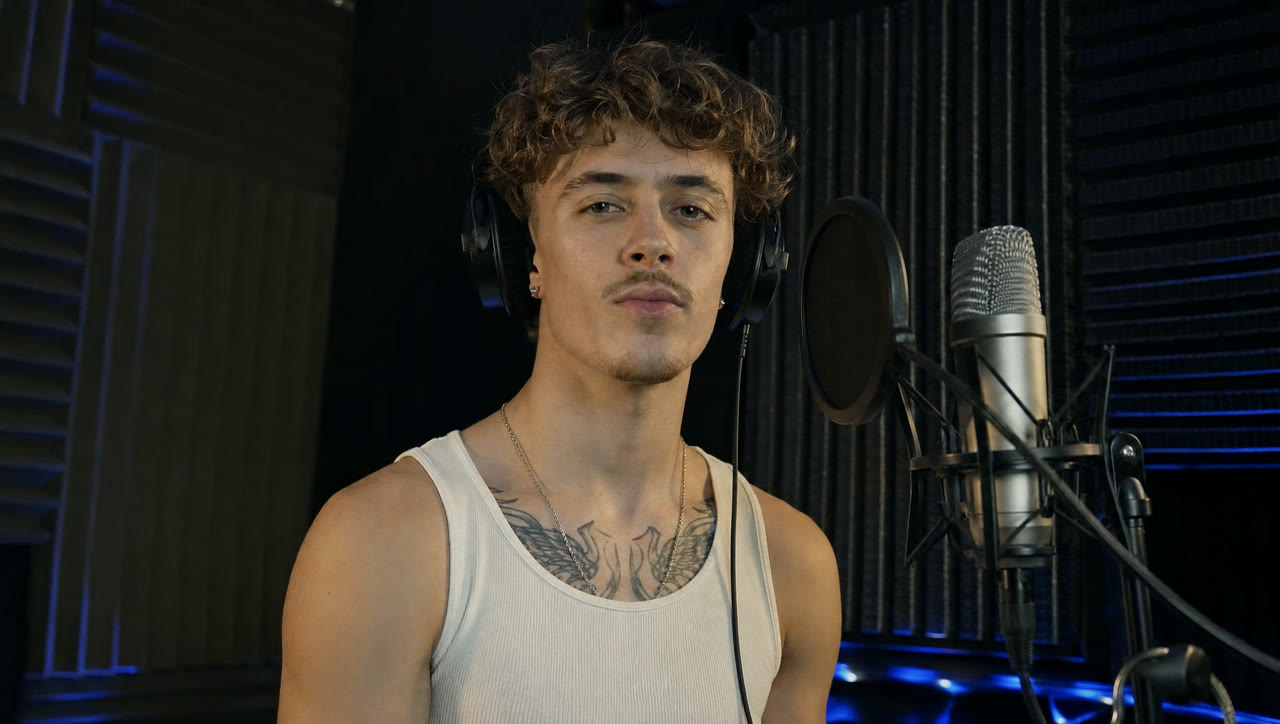
给 Kling 4.0 一张首帧图,再写清楚哪里要动。原图的构图、人物和色彩就是视频的开场画面。
Kling 发布这条演示时只附了首帧:一位女巫置身于红线和古钱币之间。Kling 4.0 把这张静图变成 15 秒大幅度、快节奏的运动,红线翻飞、钱币朝镜头飞来,而她的面容和服装始终不变。

Kling 4.0 的每条视频都自带立体声音轨。把台词写在引号里,角色就会说出来,口型跟着台词动。
演示用的完整提示词只有一句:“An old man ranting about AI.” 人物形象、客厅布置和整段吐槽台词,都由 Kling 4.0 自己决定。
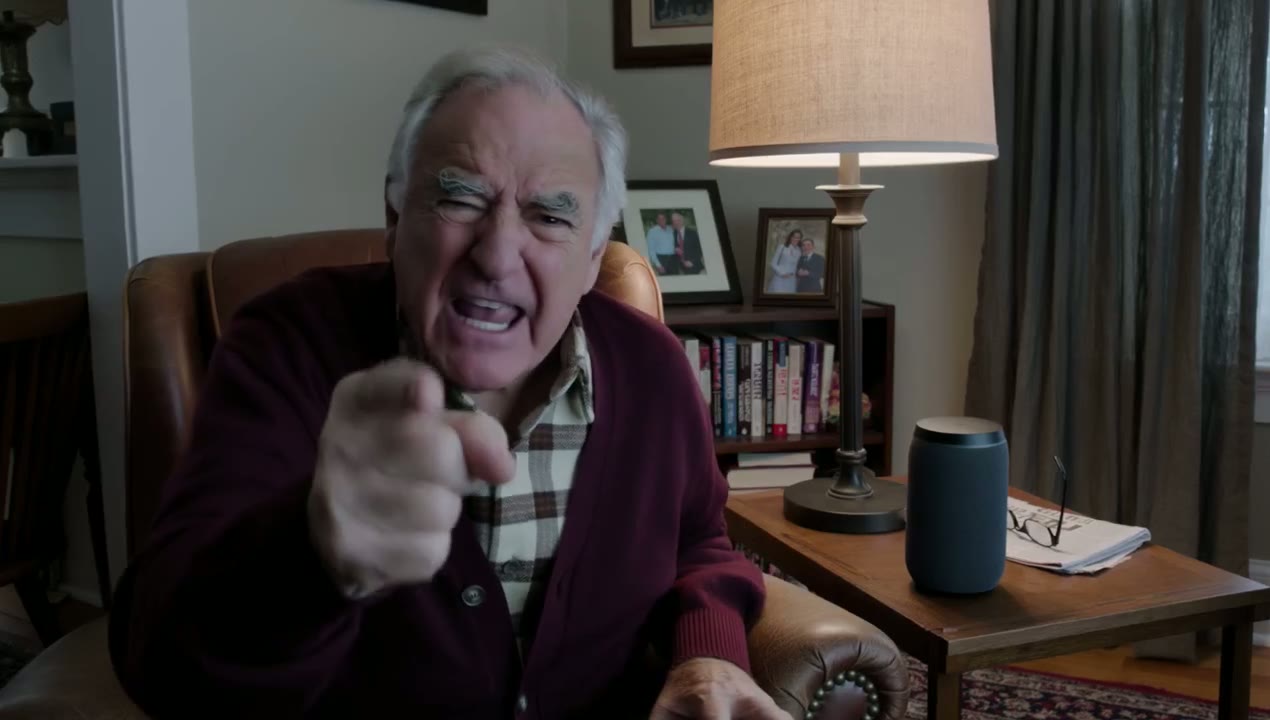
 Kling 4.0
提示词: An old man ranting about AI. (Kling 4.0 · 16:9 · 15s · 1080p)
两句提示词就能生成自然的手持 vlog 镜头:人物、房间和对着镜头说话的样子都由 Kling 4.0 补齐。
演示提示词只有两句,要一位开朗的 vlogger 做自我介绍;构图、房间和她对着镜头说话的方式,都由 Kling 决定。
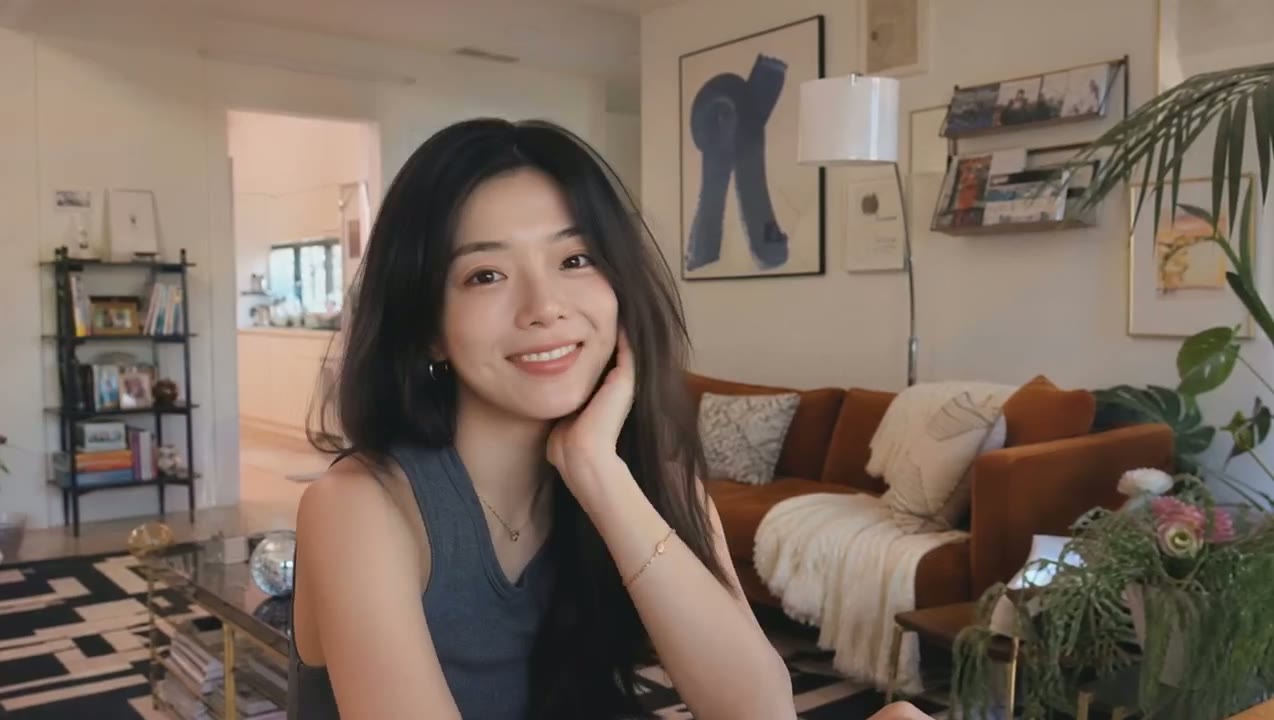 Kling 4.0
提示词: A vlogger-style video in which the woman cheerfully introduces herself to the audience. Maintain a natural, authentic look and realistic image quality. (Kling 4.0 · 16:9 · 7s · 720p)
Kling 4.0 更擅长那些让人物显得可信的细节:多停留了一拍的眼神、开口前的迟疑、争执出现转折时姿态的变化。从第一帧到最后一帧,皮肤、光线和衣料都保持自然。
Kling 的演示只从一帧画面开始:走廊里,两个女人正面对峙。11 秒的生成结果把这场冲突完整演了出来:其中一人转身离开,画面最后停在地上一件摔碎的东西上。
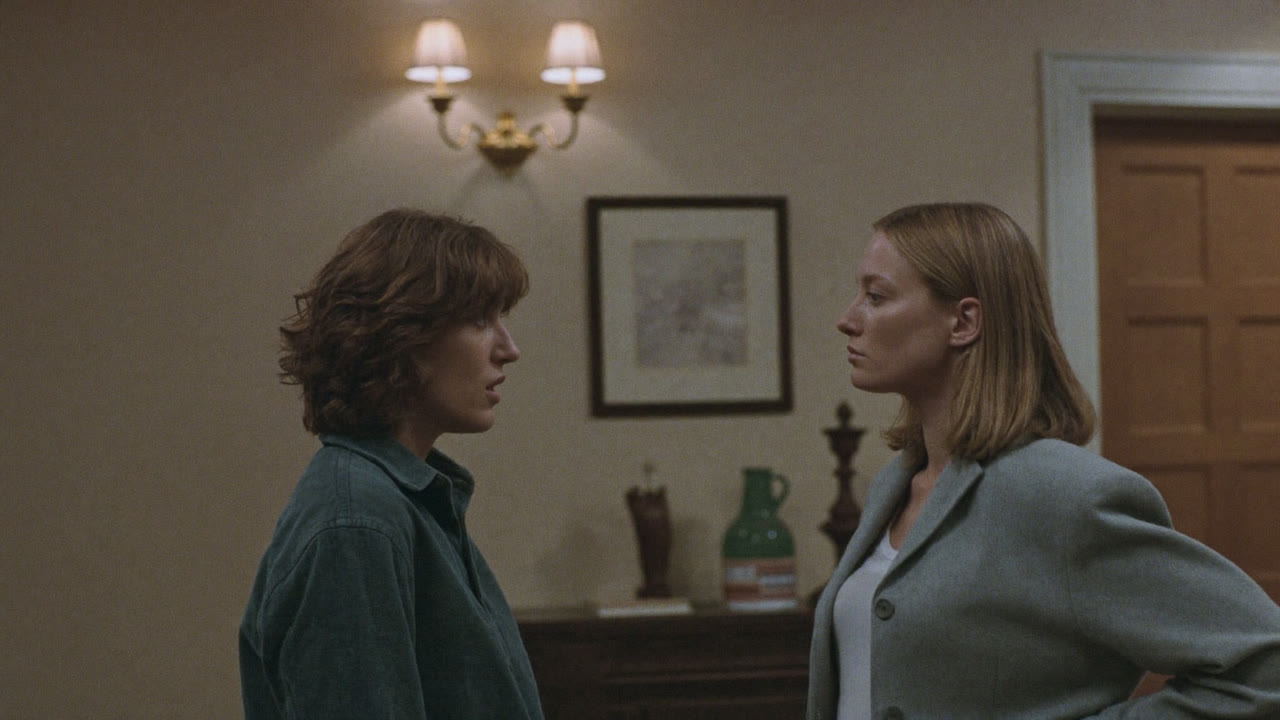
在提示词里写明运镜方式,Kling 4.0 就会贯彻到底:推近一张脸、拉远露出整个房间、跟拍时与奔跑的人保持同速。景别变化、镜头切换都很利落,画面不晃动,人物也不会走样。
在这条 10 秒的发布演示中,两名跆拳道选手对练,镜头先贴近拍摄,再升到俯瞰垫子的顶视角度,又降回平视高度,每一次出击和每一步都依然清晰。
放入首帧,需要的话再加尾帧。Kling 4.0 会补出两帧之间的运动,让产品、姿势或结尾画面准确落在你想要的位置。
演示中,首帧是工作台上的几块粗铁块,尾帧是同一张工作台上一把打好的大剑。中间的 15 秒由 Kling 4.0 用六个锻造镜头补齐。
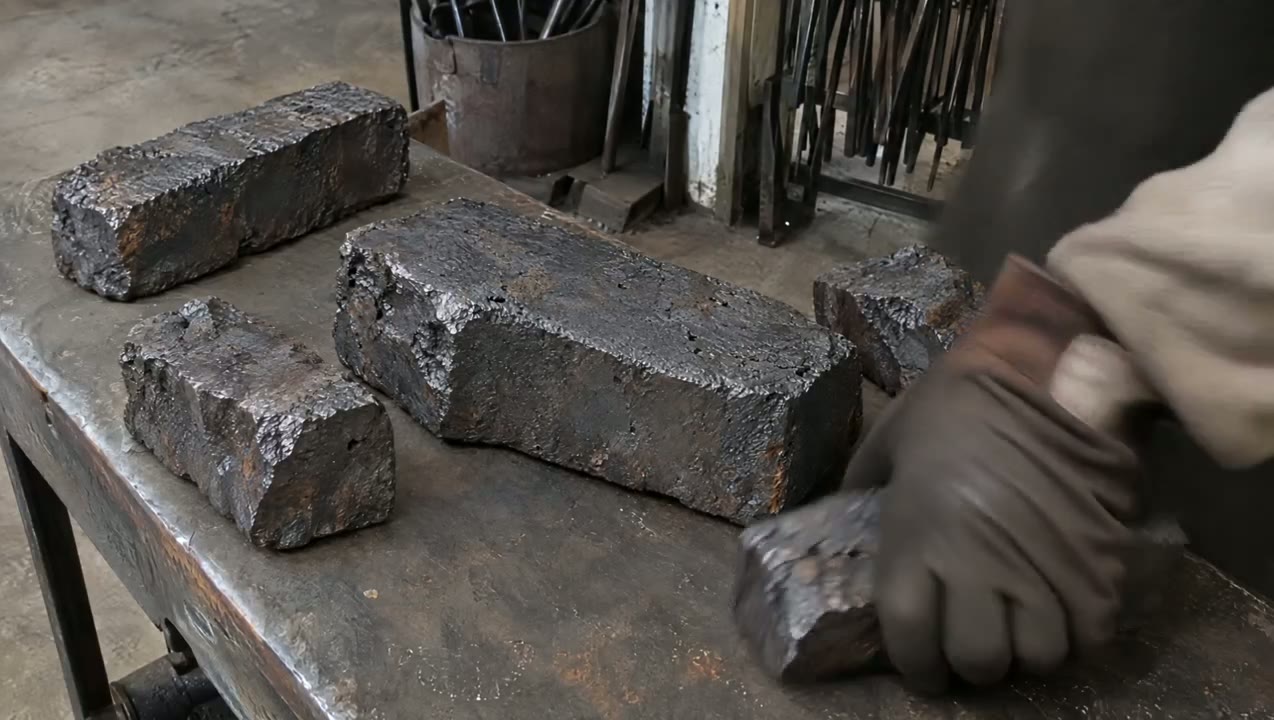
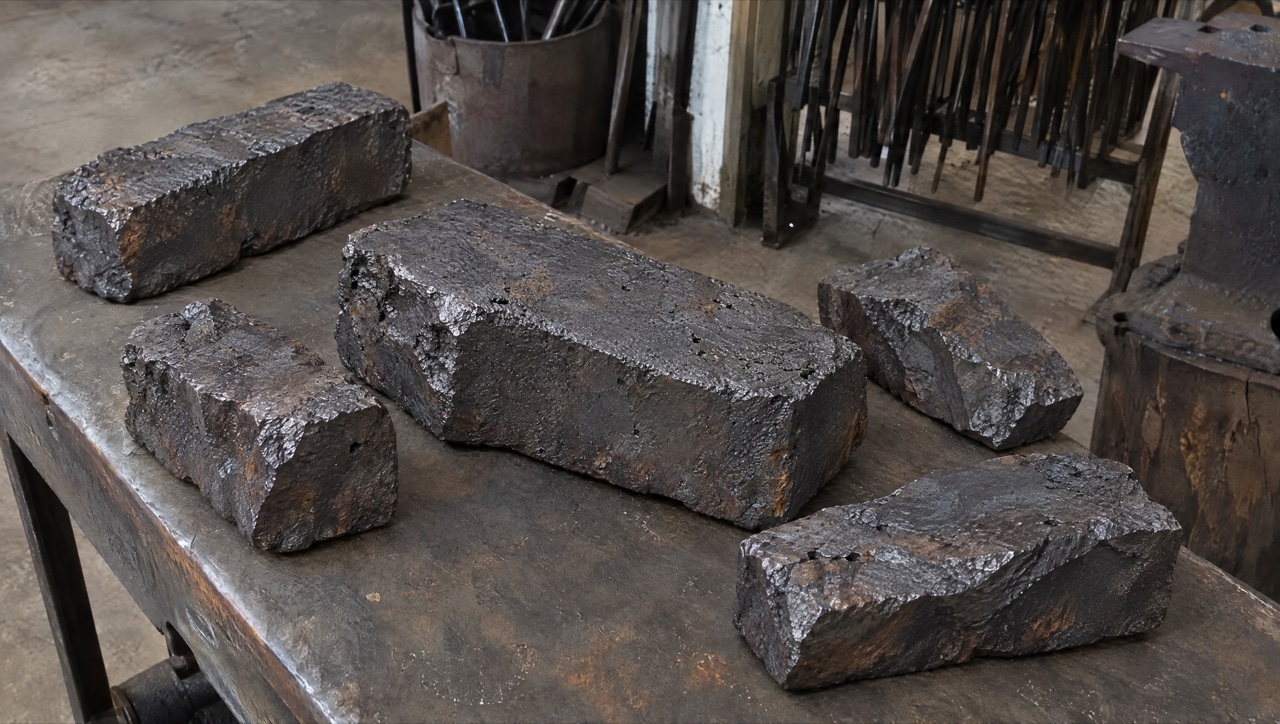
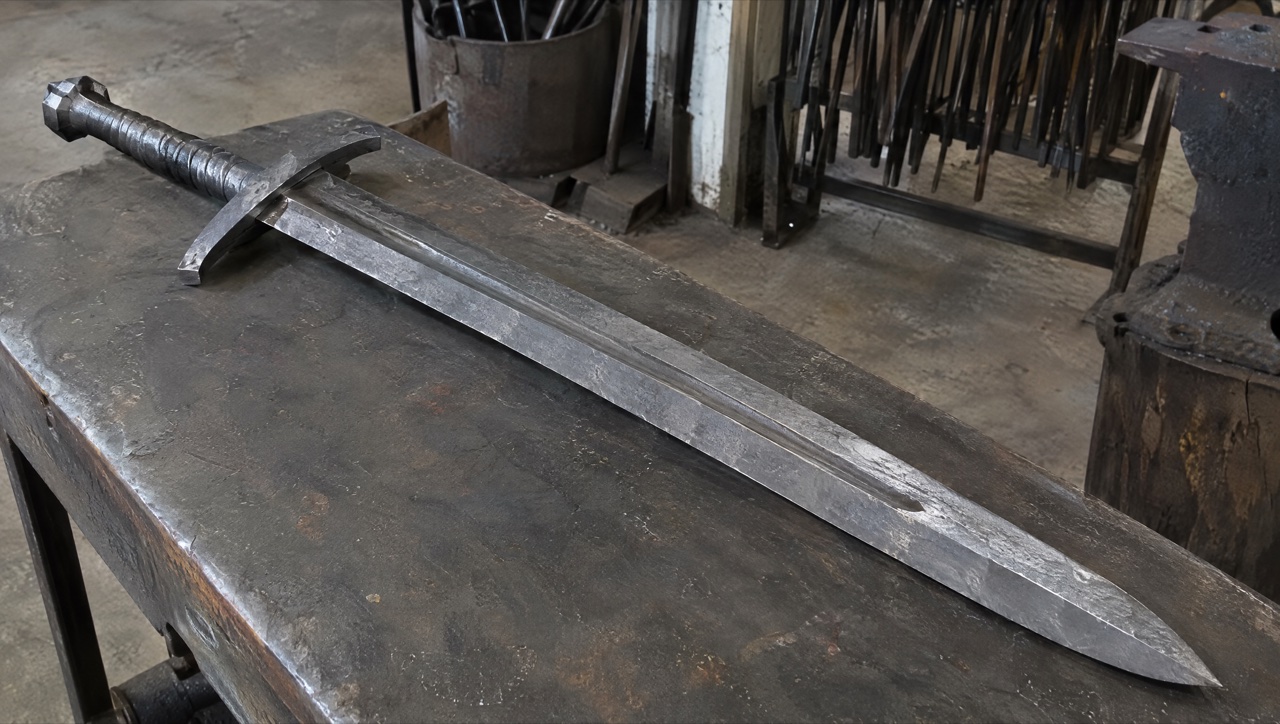 Kling 4.0
提示词: SCENE CONTEXT EXACT 1 CHARACTER — NO DUPLICATES. Interior, a worn blacksmith workshop, daytime. The same blacksmith removes the raw material, works it into a greatsword, and returns the completed sword to the original table.15 seconds, six shots. Manufacturing time is compressed through editorial cuts; individual actions retain natural weight and speed. ACTIVE REFERENCES: @Image1: exact first-frame anchor. Preserve all five iron blocks, their arrangement, the tabletop, background tools, perspective, and lighting. This image is the starting state of an active pickup shot.@Image2: exact final-frame anchor and finished-sword design. Preserve the blade silhouette, central fuller, angular curved crossguard, spiral metal grip, faceted pommel, diagonal placement, perspective, and background. This composition is reached through a visible physical placement. LOCATION MAP: The worktable fills the foreground. The tool bucket stands behind its left-center edge, the rod rack occupies the rear right, and the anvil stands at the right. The blacksmith works from the left side of the table in both endpoint shots. The camera stays on the original viewer-facing side of the table. During blade-working inserts, the tang points screen-left and the tip points screen-right. The final sword position runs from the upper-left pommel to the lower-right tip. FIRST FRAME AND SPATIAL BLOCKING: At 0.0 seconds, the frame exactly matches the raw-material reference, with five iron blocks and no hands visible. The same blacksmith immediately reaches in from the left edge. Both gloved hands approach the largest central block from opposite ends, preparing a supported two-handed lift. The blacksmith wears soot-gray sleeves, brown leather gloves, and a narrow dark strap around the right cuff. These details remain identical throughout every shot. FORMAT MODE: 15 seconds total, six shots.Hard cuts at 3.0, 5.0, 8.0, 10.0, and 11.0 seconds. Cuts compress the omitted manufacturing work and bench clearing. The opening pickup and closing placement each play as continuous physical actions.No fades, dissolves, or object-morph transitions. OPTICS: Shots 1 and 6: reference-matched elevated three-quarter framing, approximately 63° diagonal field of view and approximately 1.8 meters from the tabletop center. Exact endpoint framing takes priority over estimated optical measurements. Shots 2–5: 40° diagonal field of view, approximately 0.8 meters from the working contact point. Focus follows the hands and metal contact; the workshop background remains softly readable. Each shot holds one fixed field of view. CAMERA: A real camera operator holds the camera from the viewer-facing side of the workspace. All shots use handheld SETTLE: visible breathing sway, slight roll, and small delayed corrections. The opening camera holds its position while the iron block leaves the frame. The closing camera holds the empty tabletop composition while the sword enters, then settles into the exact final reference. The blacksmith is the only visible worker; the camera operator remains outside the image. ACTION TIMING: 0.0–3.0s — TAKE THE IRON. Start on the exact first reference; during 0.0–0.6s, the blacksmith’s matching gloved hands enter from screen-left and grip opposite ends of the largest central block. During 0.6–1.5s, the wrists brace and both hands lift the block clear of the tabletop, exposing the patch of table beneath it. During 1.5–3.0s, the blacksmith carries the supported block out through screen-left; the other four blocks remain resting on the table through the cut.3.0–5.0s — HEAT THE STOCK. Hard cut forward in time to one thick billet already glowing orange among forge coals. The same gray sleeves, brown gloves, and right-cuff strap appear at screen-left as the blacksmith holds long tongs around the billet. A short controlled pull draws the billet toward the forge mouth, with heat shimmer rising above its scaled surface.5.0–8.0s — FORGE THE BLADE. Hard cut forward to an elongated orange-hot blade blank supported on the anvil, tang left and emerging tip right. The same blacksmith braces the tang with left-hand tongs and delivers three deliberate right-hand hammer strikes along the blade flat. Each strike produces local compression, wrist recoil, and a brief scatter of dark scale.8.0–10.0s — FINISH THE METAL. Hard cut forward to a cooled blade with its fuller already formed, held by the same gloved hands against an abrasive wheel. The blacksmith makes one controlled finishing pass along the bevel. A narrow stream of sparks falls from the actual contact point as a brighter strip of metal appears.10.0–11.0s — COMPLETE THE HILT. Hard cut forward to the nearly finished sword supported on a separate assembly bench, its crossguard and spiral metal grip already fitted. The same blacksmith’s left hand braces the grip while the right hand gives the faceted pommel its final tightening turn. The completed sword now has the exact construction and finish required for the final image.11.0–15.0s — PLACE THE FINISHED SWORD.Hard cut to the original worktable, now completely clear; show its empty surface for 0.4 seconds before the same gloved hands carry the completed sword in from screen-left, one hand around the grip and the other supporting the blade flat near its balance point. From 11.4–13.8s, the blacksmith lowers the entire rigid sword diagonally, hilt toward upper-left and tip toward lower-right, easing it onto the tabletop and sliding the supporting hand free as its weight transfers to the table. From 13.8–15.0s, both hands release and withdraw through screen-left; the sword remains motionless in the exact final-reference position as the camera settles onto the final frame. PHYSICS: The raw block retains its shape and mass throughout the pickup. Both hands support it continuously; the forearms tense and the lift accelerates slowly under its weight. The anvil supports the hot blade during forging. Large changes of shape occur across editorial time jumps. The completed sword remains rigid during carrying and placement. The blade-supporting hand has visible clearance to slide free as the sword settles; the hand never passes through the blade or tabletop. Metal contact produces a short scrape and a low, heavy clink, followed by stillness. The same blacksmith clears the remaining raw stock during omitted time before the final shot. LIGHTING: The original table shots use soft daylight from upper camera-left, matching both references. Retain dark detail in the iron and protect the silver blade highlights. The forge insert uses orange coal glow from below-left as its dominant source. Return to the original neutral daylight before the sword enters the final tabletop shot. AUDIO: Quiet workshop air and distant furnace draft form the ambient bed. Opening: leather creaks, a brief iron scrape, and a restrained exertion breath as the heavy block rises.Middle: forge crackle, tong contact, three synchronized hammer impacts, abrasive scraping, and a short fitting sound.Ending: sleeve movement, glove friction against metal, a weighted sword-to-table clink, then quiet workshop ambience. The blacksmith speaks no dialogue.SFX only, no music, no score, no song, no soundtrack. CHARACTER ACTING: One consistent blacksmith performs every visible action. Soot-gray sleeves, brown leather gloves, and the dark right-cuff strap remain unchanged. Hands work deliberately: brace before lifting, maintain firm tool contact, and reduce speed before lowering the finished sword. The physical rhythm shifts from effort during the raw-block pickup to careful control during the final placement. The face and torso remain outside the crop. STYLE: Grounded workshop documentary with tactile iron, worn tools, and convincing manual labor.Soft old-photograph texture, restrained grain, and natural motion blur; no digital sharpening. Charcoal metal and muted brown surfaces dominate, with silver highlights and localized forge orange. The first and last frames preserve the supplied images’ appearance. QUALITY: Maintain consistent hands, gloves, sleeve details, metal geometry, and contact shadows. The lifted block reveals the tabletop underneath it. The closing shot visibly establishes the empty tabletop before the sword enters. Keep the full final sword readable, including its tip, guard, grip, and pommel. Avoid duplicate limbs, flickering geometry, and intersecting solid surfaces. POSITIVE CONSTRAINTS: The first frame contains exactly five iron blocks. The largest central block physically leaves the table in the same blacksmith’s two hands. The final shot begins with an empty table. The completed sword enters while visibly supported by that same blacksmith, contacts the tabletop, and remains after both hands withdraw. The last frame matches the finished-sword reference exactly. The opening pickup and final placement each remain continuous, with visible hand-object contact. Exactly one finished sword is present.No text overlays, subtitles, or music. (Kling 4.0 · 16:9 · 15s · 1080p)
Kling 公布的功能比本站目前开放的更多。以下是生成器为 Kling 4.0 实际提供的设置,照着它们规划,就都能生成出来。
| 时长 | 3 到 30 秒默认 5 秒。 |
|---|---|
| 分辨率 | 720p 或 1080p默认 720p。 |
| 画面比例 | 16:9、9:16、1:1 或 21:9使用首帧时,视频会沿用你图片的比例。 |
| 输入 | 文字、首帧,或首帧加尾帧Kling 的多关键帧、参考和编辑模式本站暂未开放。 |
| 提示词 | 最多 2,500 字符 |
| 声音 | 始终开启每条视频都包含立体声的人声、音效和环境声;没有关闭声音的开关。 |
| 积分 | 按秒计费费率取决于分辨率。开始生成前,生成器会显示总费用;下方价格表列出了常见时长的费用。 |
以下为可灵官方公布的完整版参数。官方标为“即将上线”的功能,这里同样标注。
| 发布时间 | Kling 4.0 Flash 于 2026 年 9 月 28 日向部分用户开放抢先体验;Kling 4.0 完整版于 2026 年 10 月 15 日全面上线。 |
|---|---|
| 模式 | 文生视频、图生视频、首尾帧、多关键帧、全能参考(Omni Reference)和视频编辑。 |
| 单条时长 | 单次生成 3 到 30 秒。 |
| 关键帧 | 最多 10 张关键帧图,用来锁定角色状态、场景变化和剧情节点。 |
| 参考素材 | 每次最多 15 个:图片最多 10 张、视频最多 5 段(合计 30 秒)、主体最多 7 个,主体可附带声音参考。 |
| 分辨率 | 720p、1080p 和 4K。1080p 与 4K 的 10-bit HDR 官方标为即将上线。 |
| 画面比例 | 21:9、16:9、1:1、9:16 和自动。 |
| 音频 | 双声道立体声,支持口型同步;对白支持中文、英文、日语、韩语、西班牙语、葡萄牙语、德语、法语等,并支持北京话、四川话、粤语等方言口音。 |
| 提示词长度 | 最多 8,000 tokens。 |
| 视频续写 | 多次续写,最长 2 分钟——官方标为即将上线。 |
长镜头一镜到底、首尾锁定的镜头,以及用短提示词生成的对话场景。
除最后一行外,每个单元格都来自 Open AI Image 上各模型的实时设置,与生成器目前可选的选项一致。
同一个创意想换个模型再试试?AI 视频生成器 里 Kling 4.0 与 Seedance、Kling、Veo、Wan 并列可选,用手上已有的积分就能把同一条提示词换到其他模型上重新生成。
| 项目 | Kling 4.0 |  Seedance 2.5 | Kling 3.0 |  Veo 3.1 Fast |  Wan 3.0 |
|---|---|---|---|---|---|
| 最长时长 | 30 秒 | 30 秒 | 15 秒 | 8 秒 | 30 秒 |
| 最高分辨率 | 1080p | 1080p | 4K | 4K | 1080p |
| 画面比例 | 16:9, 9:16, 1:1, 21:9 | 16:9, 9:16, 1:1, 4:3, 3:4, 21:9 | 16:9, 9:16, 1:1 | 16:9, 9:16 | 16:9, 9:16, 1:1, 4:3, 3:4 |
| 参考图片 | 不支持 | 30 | 不支持 | 不支持 | 10 |
| 参考视频 | 不支持 | 10 | 不支持 | 不支持 | 5 |
| 编辑和延长视频 | 不支持 | 支持 | 不支持 | 不支持 | 不支持 |
| 5 秒 720p 所需积分 | 24 积分 | 31 积分 | 13 积分 | 15 积分 | 12 积分 |
| 最适合 | 最长 30 秒、带立体声,可从文本或首帧生成 | 多参考素材、原生声音的长多镜头视频 | 更便宜、最长 15 秒的 Kling 视频 | 带声音的写实短镜头 | 预算更低的长镜头 |
积分为用积分包生成一条 5 秒 720p 视频的费率;订阅用户每秒更便宜。
它目前在 Open AI Image 上表现好的地方,以及需要变通处理的地方。
以下提示词来自 Kling AI 随 Kling 4.0 示例公开的原文,每条旁边就是它生成的视频;较长的铁匠提示词在这里做了删减。载入生成器后,再换成你自己的主体、场景或时长。首尾帧那条提示词需要你自己的首帧和尾帧。
A continuous 7-second shot set in the UK. Two friends who have not seen each other for a long time meet at the corner of a quiet street at dusk, surrounded by a diverse crowd going about their daily lives. They smile, walk quickly toward each other, and share a warm embrace. Their facial expressions and body movements are natural. A handheld camera follows them with subtle camera shake. Soft, warm lighting with a nostalgic cinematic film look. Include natural footsteps, street ambience, background music, and English dialogue.
来源:Kling AI
试试这条提示词Interior, a worn blacksmith workshop, daytime. The same blacksmith removes the raw material, works it into a greatsword, and returns the completed sword to the original table. 15 seconds, six shots, hard cuts at 3.0, 5.0, 8.0, 10.0 and 11.0 seconds. First frame: exactly five iron blocks on the worktable, no hands visible. Last frame: the finished sword lying diagonally on the same table. 0.0–3.0s — TAKE THE IRON: both gloved hands lift the largest central block and carry it out through screen-left. 3.0–5.0s — HEAT THE STOCK: one thick billet glowing orange among forge coals. 5.0–8.0s — FORGE THE BLADE: three deliberate hammer strikes along the orange-hot blade on the anvil. 8.0–10.0s — FINISH THE METAL: one finishing pass on an abrasive wheel, sparks falling from the contact point. 10.0–11.0s — COMPLETE THE HILT: the final tightening turn of the faceted pommel. 11.0–15.0s — PLACE THE FINISHED SWORD: the empty table, then the sword carried in and lowered into the exact final position. Handheld camera, soft daylight from upper camera-left, orange coal glow in the forge shot. AUDIO: workshop air, forge crackle, three synchronized hammer impacts, a weighted sword-to-table clink. SFX only, no music. No text overlays or subtitles.
来源:Kling AI
试试这条提示词参数
以下为可灵官方公布的完整版参数。官方标为“即将上线”的功能,这里同样标注。
| 发布时间 | Kling 4.0 Flash 于 2026 年 9 月 28 日向部分用户开放抢先体验;Kling 4.0 完整版于 2026 年 10 月 15 日全面上线。 |
|---|---|
| 模式 | 文生视频、图生视频、首尾帧、多关键帧、全能参考(Omni Reference)和视频编辑。 |
| 单条时长 | 单次生成 3 到 30 秒。 |
| 关键帧 | 最多 10 张关键帧图,用来锁定角色状态、场景变化和剧情节点。 |
| 参考素材 | 每次最多 15 个:图片最多 10 张、视频最多 5 段(合计 30 秒)、主体最多 7 个,主体可附带声音参考。 |
| 分辨率 | 720p、1080p 和 4K。1080p 与 4K 的 10-bit HDR 官方标为即将上线。 |
| 画面比例 | 21:9、16:9、1:1、9:16 和自动。 |
| 音频 | 双声道立体声,支持口型同步;对白支持中文、英文、日语、韩语、西班牙语、葡萄牙语、德语、法语等,并支持北京话、四川话、粤语等方言口音。 |
| 提示词长度 | 最多 8,000 tokens。 |
| 视频续写 | 多次续写,最长 2 分钟——官方标为即将上线。 |
Kling 官方来源
本页背景视频为 Kling 3.0 官方展示片段,并非 Kling 4.0 样片。
最后更新:
直接回答
发布时间、套餐与费用、Flash 和完整版的区别,以及官方仍标为即将上线的功能。
01
可灵 AI 于 2026 年 10 月 15 日宣布全面上线。轻量版 Kling 4.0 Flash 从 9 月 28 日起已向部分用户开放抢先体验。
02
符合条件的新验证账号在人机验证和活动预算允许时,可领取最多 5 积分,有效期 7 天,可用于低成本图片,不保证覆盖一条视频。新视频生成需有足够购买积分或符合有限无限权益。
03
Flash 是快速、便宜的档位:3–20 秒、720p、8-bit SDR,支持文本、图片和全能参考输入。完整版多了 30 秒时长、关键帧、1080p 和 4K。
04
可灵把 1080p 与 4K 的 10-bit HDR,以及最长 2 分钟的视频续写标为即将上线。
流程
文生视频、关键帧和参考生成,都是同样四步。
打开本页输入框或完整生成器,在模型菜单的 Kling 分类下选择 Kling 4.0。
先写动的东西和时间点:主体、动作、运镜,以及每个节点落在哪一刻。提示词最长 8,000 tokens。
最多 10 个关键帧锁定节点;或加参考:图片最多 10 张、视频最多 5 段(合计 30 秒)、主体最多 7 个。
在 3 到 30 秒之间选时长,选好画面比例,确认积分报价后提交。
对比
两者都能单次生成 30 秒,也都支持混合参考。真正的区别在关键帧数量、参考素材组合和分辨率。
| 项目 | Kling 4.0 | Seedance 2.5 |
|---|---|---|
| 单条时长 | 3 到 30 秒 | 单次生成最长 30 秒 |
| 画面控制 | 首尾帧,另加最多 10 个关键帧 | 首帧,或首尾帧 |
| 参考素材 | 最多 15 个:10 张图、5 段视频、7 个主体 | 最多 30 张参考图和 10 段参考视频 |
| 分辨率 | 720p、1080p 和 4K(10-bit HDR 即将上线) | 480p、720p 和 1080p |
| 画面比例 | 21:9、16:9、1:1、9:16 和自动 | 16:9、9:16、1:1、4:3、3:4、21:9 和自适应 |
| 成片修改 | 可编辑已有视频;最长 2 分钟续写即将上线 | 对已有视频局部编辑和续接 |
厂商资料: Kling AI 官网
适用场景
长镜头一镜到底、用关键帧锁定剧情节点、套用爆款广告换上自己的产品。
01
一条长镜头——走位、追逐、产品揭晓——不用把两段拼在一起。
02
最多 10 个关键帧,锁定每个节点角色在哪、画面是什么样。
03
用参考视频带节奏和运镜,再换成你自己的产品、角色或场景。
04
立体声加口型同步,画面里的文字在运镜时也保持清晰。
本平台其他模型
同一个账号、同一份积分、同一个素材库。
01
Kling 3.0、Kling O3 和运动控制版本适合 4 到 15 秒的片段,以及用参考视频驱动角色动作。
在线使用 Kling 3.002
Seedance 2.5 同样单次最长 30 秒,支持最多 30 张参考图和 10 段参考视频,还能对成片做局部编辑和续接。
查看 Seedance 2.5 的 30 秒视频生成03
符合条件的新验证账号在人机验证和活动预算允许时,可领取最多 5 积分,有效期 7 天,可用于低成本图片,不保证覆盖一条视频。新视频生成需有足够购买积分或符合有限无限权益。
了解 Seedance 2.0 Mini常见问题
发布时间、相比 Kling 3.0 的升级、Flash、本平台的 Kling 模型,以及本平台与快手的关系。