
01
When did Kling 4.0 come out?
Kling AI announced full availability on October 15, 2026. The lighter Kling 4.0 Flash had been in limited early access since September 28.
Kling 4.0 generates up to 30 seconds with stereo audio and lip-sync in one pass, and accepts up to 10 keyframes and up to 15 references. Create with Kling 4.0 using account credits.
Kling 4.0 renders 3 to 30 seconds per run, so one prompt can carry a whole beat, from setup to payoff, with the sound generated alongside the picture.
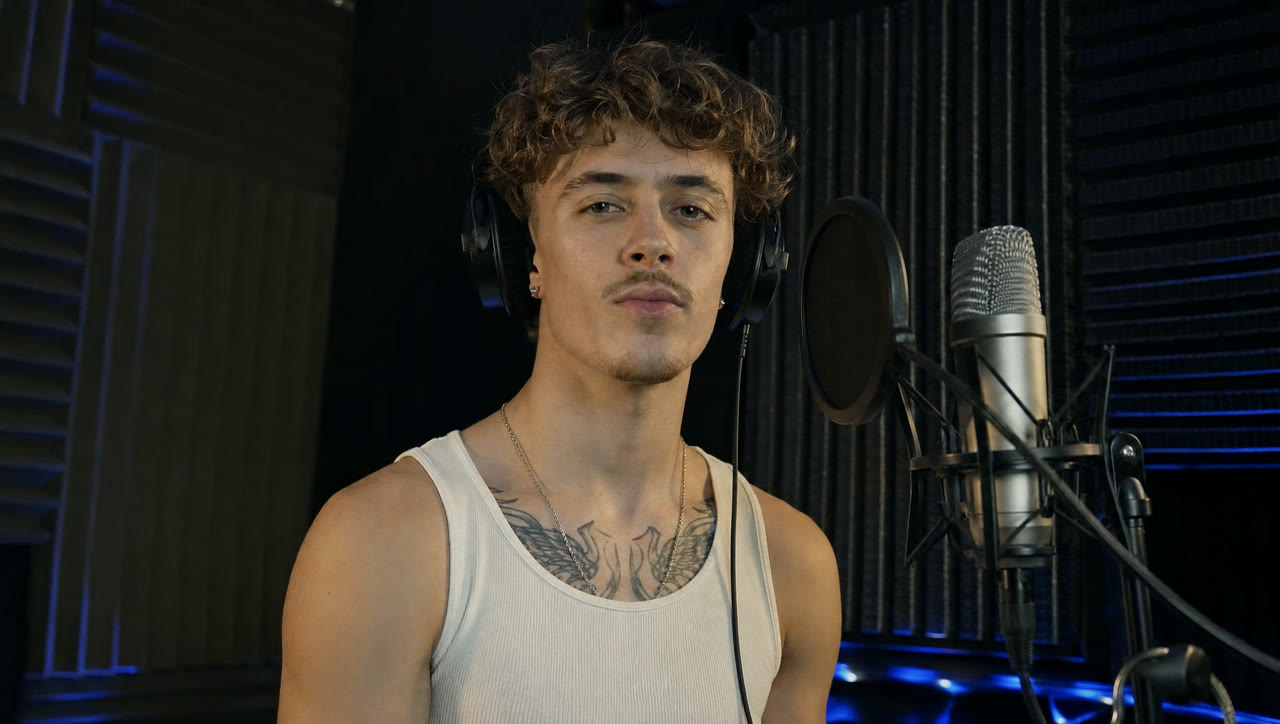
In this release demo from Kling the only input is a start frame of a young man at a microphone in a vocal booth. Kling 4.0 holds the shot for the full 30 seconds, with his voice and the room sound generated alongside and his lips matched to the audio.
Give Kling 4.0 one first frame and describe what should move. The framing, faces and colours of your image become the opening shot.
Kling published this demo with only its start frame: a sorceress among red threads and old coins. Kling 4.0 turned the still into 15 seconds of big, fast motion, threads whipping and coins flying at the lens, while her face and costume stay the same.

Every Kling 4.0 clip comes back with a stereo soundtrack. Put the lines in quotes and the characters speak them, mouths moving with the words.
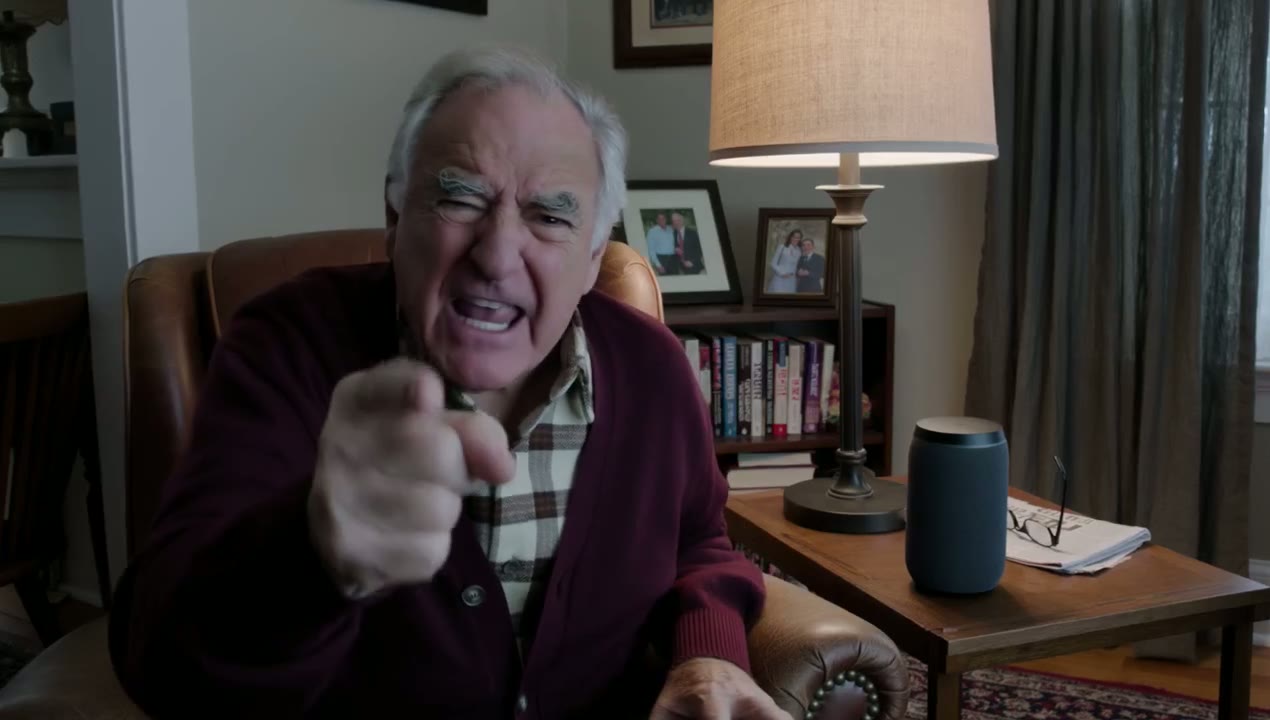
The whole prompt in the demo is one line, “An old man ranting about AI.” Kling 4.0 cast the man, dressed the living room and wrote the rant itself.
 Kling 4.0
Prompt: An old man ranting about AI. (Kling 4.0 · 16:9 · 15s · 1080p)
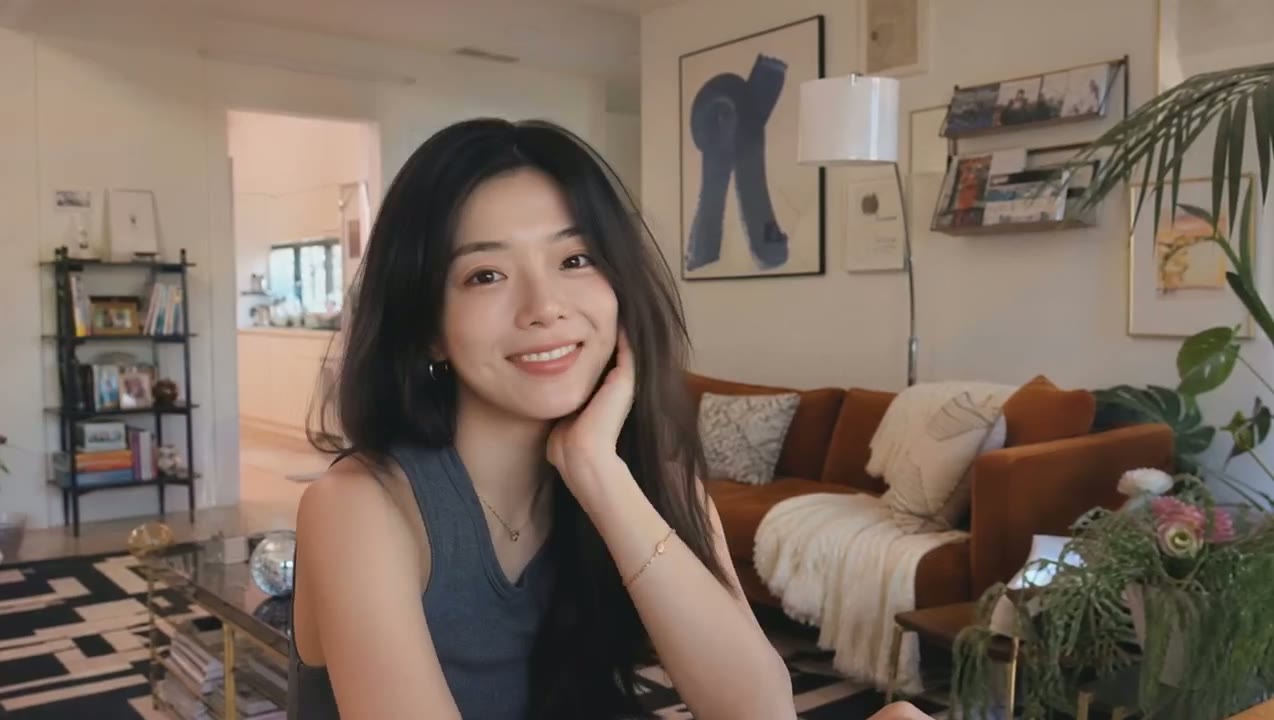
Two sentences are enough for a natural, handheld vlog shot: Kling 4.0 fills in the person, the room and the way she talks to camera.
The demo prompt is two sentences asking for a cheerful vlogger who introduces herself; the framing, the room and the way she talks to camera are all Kling’s.
 Kling 4.0
Prompt: A vlogger-style video in which the woman cheerfully introduces herself to the audience. Maintain a natural, authentic look and realistic image quality. (Kling 4.0 · 16:9 · 7s · 720p)
Kling 4.0 is better at the details that make people believable: a look held a beat too long, a hesitation before a line, the shift in posture when an argument turns. Skin, light and fabric stay natural from the first frame to the last.
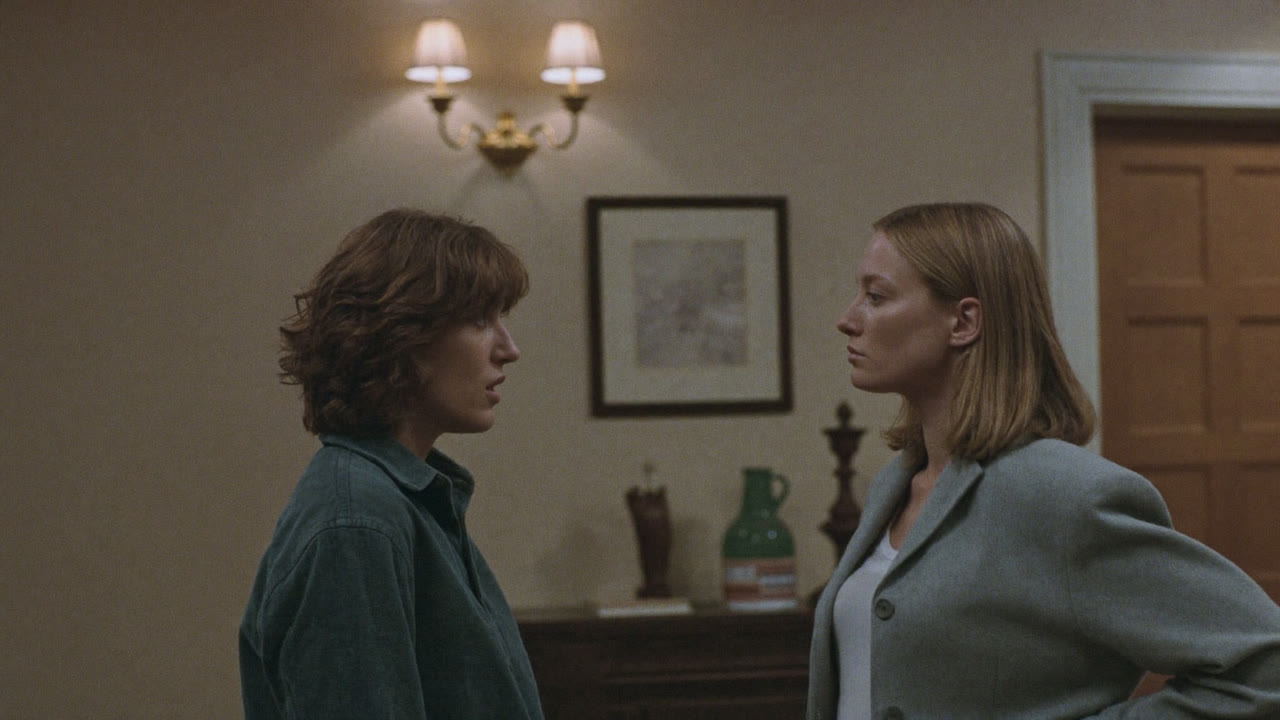
Kling’s demo starts from a single frame of two women facing off in a hallway. The 11-second result plays out the confrontation: one of them turns and walks away, and the scene ends on something smashed on the floor.
Name the move in your prompt and Kling 4.0 carries it through: a push-in on a face, a pull-back that reveals the room, a tracking shot that keeps pace with a runner. Shot sizes change and cuts land without the picture wobbling or the characters drifting off-model.
In this 10-second release demo two taekwondo fighters spar while the camera stays in close, rises to an overhead view of the mat and drops back to eye level, with every strike and step still sharp.
Add a first frame and, if you like, a last frame. Kling 4.0 fills in the motion between them, so a product, a pose or an ending lands exactly where you need it.
In the demo the first frame shows raw iron blocks on a workbench and the last frame a finished greatsword on the same bench. Kling 4.0 filled the 15 seconds between with six shots of forging.
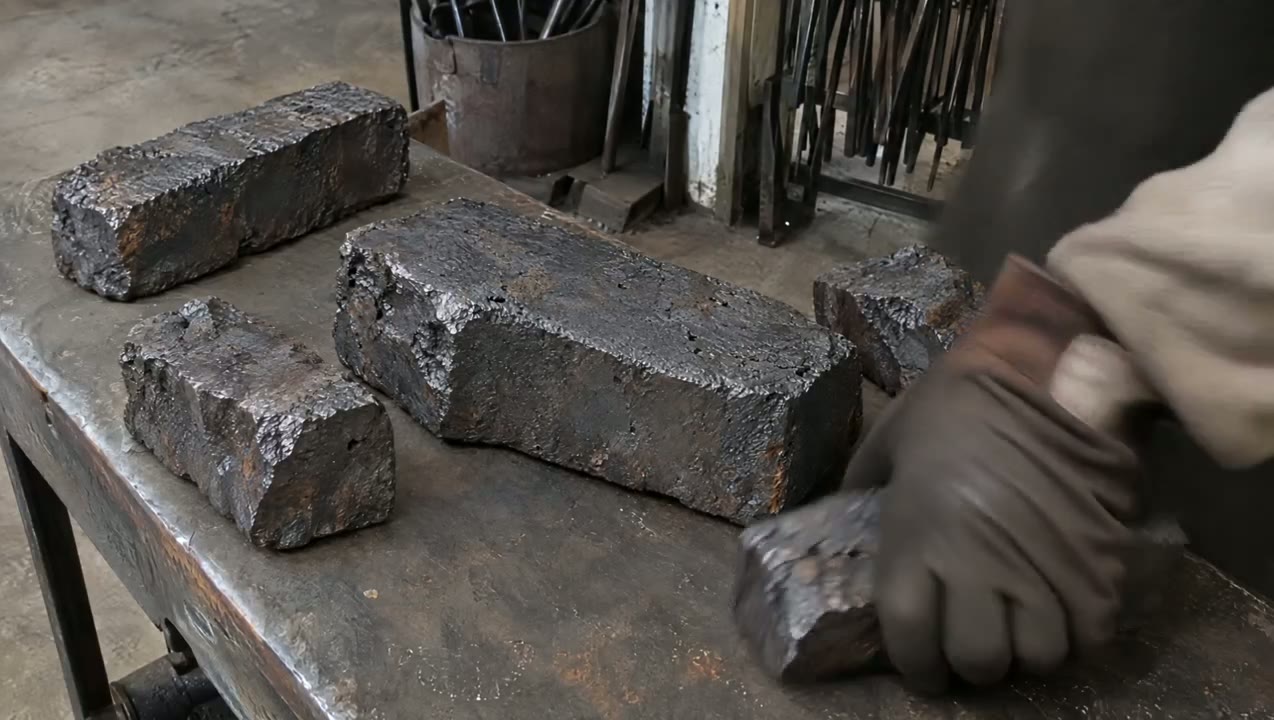
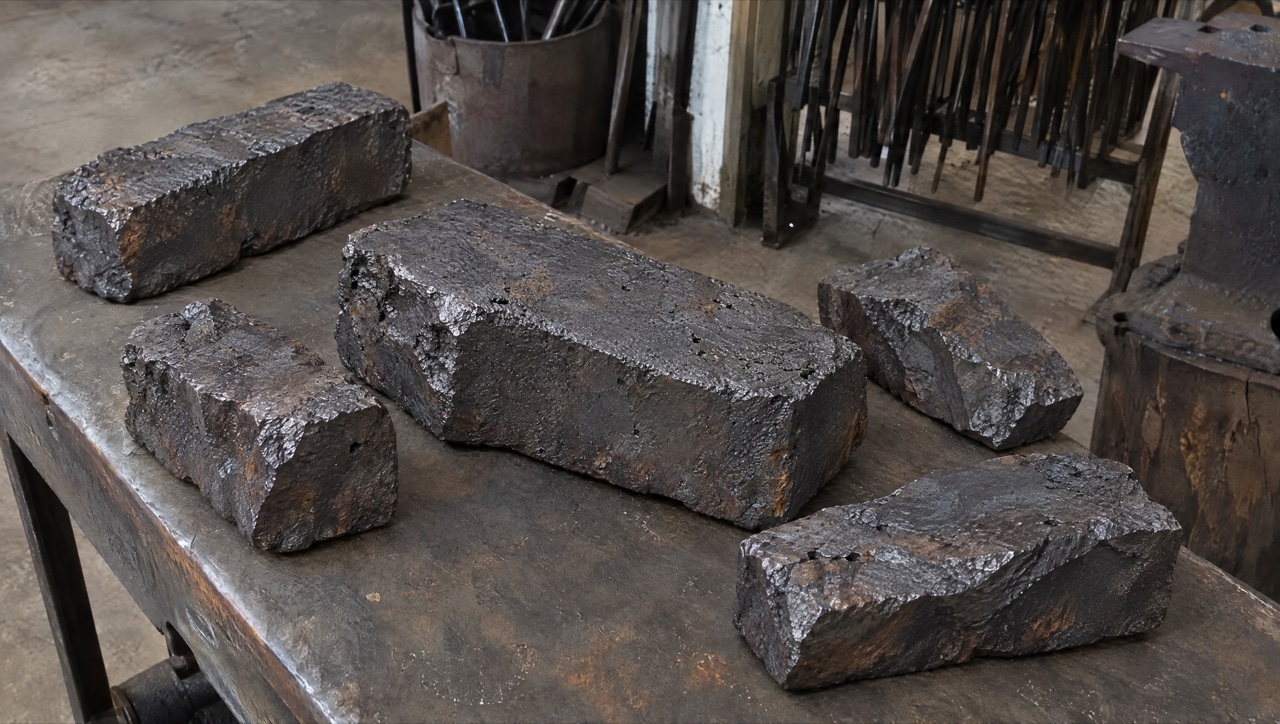
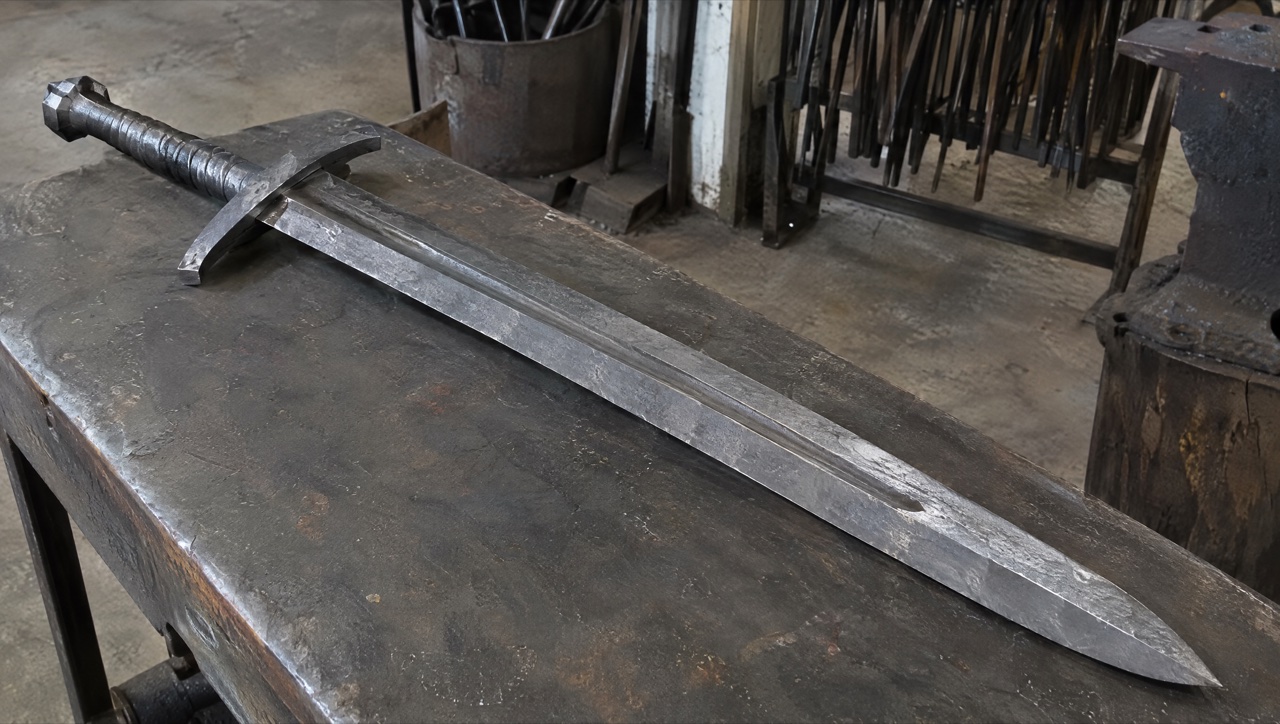 Kling 4.0
Prompt: SCENE CONTEXT EXACT 1 CHARACTER — NO DUPLICATES. Interior, a worn blacksmith workshop, daytime. The same blacksmith removes the raw material, works it into a greatsword, and returns the completed sword to the original table.15 seconds, six shots. Manufacturing time is compressed through editorial cuts; individual actions retain natural weight and speed. ACTIVE REFERENCES: @Image1: exact first-frame anchor. Preserve all five iron blocks, their arrangement, the tabletop, background tools, perspective, and lighting. This image is the starting state of an active pickup shot.@Image2: exact final-frame anchor and finished-sword design. Preserve the blade silhouette, central fuller, angular curved crossguard, spiral metal grip, faceted pommel, diagonal placement, perspective, and background. This composition is reached through a visible physical placement. LOCATION MAP: The worktable fills the foreground. The tool bucket stands behind its left-center edge, the rod rack occupies the rear right, and the anvil stands at the right. The blacksmith works from the left side of the table in both endpoint shots. The camera stays on the original viewer-facing side of the table. During blade-working inserts, the tang points screen-left and the tip points screen-right. The final sword position runs from the upper-left pommel to the lower-right tip. FIRST FRAME AND SPATIAL BLOCKING: At 0.0 seconds, the frame exactly matches the raw-material reference, with five iron blocks and no hands visible. The same blacksmith immediately reaches in from the left edge. Both gloved hands approach the largest central block from opposite ends, preparing a supported two-handed lift. The blacksmith wears soot-gray sleeves, brown leather gloves, and a narrow dark strap around the right cuff. These details remain identical throughout every shot. FORMAT MODE: 15 seconds total, six shots.Hard cuts at 3.0, 5.0, 8.0, 10.0, and 11.0 seconds. Cuts compress the omitted manufacturing work and bench clearing. The opening pickup and closing placement each play as continuous physical actions.No fades, dissolves, or object-morph transitions. OPTICS: Shots 1 and 6: reference-matched elevated three-quarter framing, approximately 63° diagonal field of view and approximately 1.8 meters from the tabletop center. Exact endpoint framing takes priority over estimated optical measurements. Shots 2–5: 40° diagonal field of view, approximately 0.8 meters from the working contact point. Focus follows the hands and metal contact; the workshop background remains softly readable. Each shot holds one fixed field of view. CAMERA: A real camera operator holds the camera from the viewer-facing side of the workspace. All shots use handheld SETTLE: visible breathing sway, slight roll, and small delayed corrections. The opening camera holds its position while the iron block leaves the frame. The closing camera holds the empty tabletop composition while the sword enters, then settles into the exact final reference. The blacksmith is the only visible worker; the camera operator remains outside the image. ACTION TIMING: 0.0–3.0s — TAKE THE IRON. Start on the exact first reference; during 0.0–0.6s, the blacksmith’s matching gloved hands enter from screen-left and grip opposite ends of the largest central block. During 0.6–1.5s, the wrists brace and both hands lift the block clear of the tabletop, exposing the patch of table beneath it. During 1.5–3.0s, the blacksmith carries the supported block out through screen-left; the other four blocks remain resting on the table through the cut.3.0–5.0s — HEAT THE STOCK. Hard cut forward in time to one thick billet already glowing orange among forge coals. The same gray sleeves, brown gloves, and right-cuff strap appear at screen-left as the blacksmith holds long tongs around the billet. A short controlled pull draws the billet toward the forge mouth, with heat shimmer rising above its scaled surface.5.0–8.0s — FORGE THE BLADE. Hard cut forward to an elongated orange-hot blade blank supported on the anvil, tang left and emerging tip right. The same blacksmith braces the tang with left-hand tongs and delivers three deliberate right-hand hammer strikes along the blade flat. Each strike produces local compression, wrist recoil, and a brief scatter of dark scale.8.0–10.0s — FINISH THE METAL. Hard cut forward to a cooled blade with its fuller already formed, held by the same gloved hands against an abrasive wheel. The blacksmith makes one controlled finishing pass along the bevel. A narrow stream of sparks falls from the actual contact point as a brighter strip of metal appears.10.0–11.0s — COMPLETE THE HILT. Hard cut forward to the nearly finished sword supported on a separate assembly bench, its crossguard and spiral metal grip already fitted. The same blacksmith’s left hand braces the grip while the right hand gives the faceted pommel its final tightening turn. The completed sword now has the exact construction and finish required for the final image.11.0–15.0s — PLACE THE FINISHED SWORD.Hard cut to the original worktable, now completely clear; show its empty surface for 0.4 seconds before the same gloved hands carry the completed sword in from screen-left, one hand around the grip and the other supporting the blade flat near its balance point. From 11.4–13.8s, the blacksmith lowers the entire rigid sword diagonally, hilt toward upper-left and tip toward lower-right, easing it onto the tabletop and sliding the supporting hand free as its weight transfers to the table. From 13.8–15.0s, both hands release and withdraw through screen-left; the sword remains motionless in the exact final-reference position as the camera settles onto the final frame. PHYSICS: The raw block retains its shape and mass throughout the pickup. Both hands support it continuously; the forearms tense and the lift accelerates slowly under its weight. The anvil supports the hot blade during forging. Large changes of shape occur across editorial time jumps. The completed sword remains rigid during carrying and placement. The blade-supporting hand has visible clearance to slide free as the sword settles; the hand never passes through the blade or tabletop. Metal contact produces a short scrape and a low, heavy clink, followed by stillness. The same blacksmith clears the remaining raw stock during omitted time before the final shot. LIGHTING: The original table shots use soft daylight from upper camera-left, matching both references. Retain dark detail in the iron and protect the silver blade highlights. The forge insert uses orange coal glow from below-left as its dominant source. Return to the original neutral daylight before the sword enters the final tabletop shot. AUDIO: Quiet workshop air and distant furnace draft form the ambient bed. Opening: leather creaks, a brief iron scrape, and a restrained exertion breath as the heavy block rises.Middle: forge crackle, tong contact, three synchronized hammer impacts, abrasive scraping, and a short fitting sound.Ending: sleeve movement, glove friction against metal, a weighted sword-to-table clink, then quiet workshop ambience. The blacksmith speaks no dialogue.SFX only, no music, no score, no song, no soundtrack. CHARACTER ACTING: One consistent blacksmith performs every visible action. Soot-gray sleeves, brown leather gloves, and the dark right-cuff strap remain unchanged. Hands work deliberately: brace before lifting, maintain firm tool contact, and reduce speed before lowering the finished sword. The physical rhythm shifts from effort during the raw-block pickup to careful control during the final placement. The face and torso remain outside the crop. STYLE: Grounded workshop documentary with tactile iron, worn tools, and convincing manual labor.Soft old-photograph texture, restrained grain, and natural motion blur; no digital sharpening. Charcoal metal and muted brown surfaces dominate, with silver highlights and localized forge orange. The first and last frames preserve the supplied images’ appearance. QUALITY: Maintain consistent hands, gloves, sleeve details, metal geometry, and contact shadows. The lifted block reveals the tabletop underneath it. The closing shot visibly establishes the empty tabletop before the sword enters. Keep the full final sword readable, including its tip, guard, grip, and pommel. Avoid duplicate limbs, flickering geometry, and intersecting solid surfaces. POSITIVE CONSTRAINTS: The first frame contains exactly five iron blocks. The largest central block physically leaves the table in the same blacksmith’s two hands. The final shot begins with an empty table. The completed sword enters while visibly supported by that same blacksmith, contacts the tabletop, and remains after both hands withdraw. The last frame matches the finished-sword reference exactly. The opening pickup and final placement each remain continuous, with visible hand-object contact. Exactly one finished sword is present.No text overlays, subtitles, or music. (Kling 4.0 · 16:9 · 15s · 1080p)
Kling has announced more than this site runs so far. These are the settings the generator actually gives you for Kling 4.0, so what you plan is what you can render.
| Length | 3 to 30 seconds5 seconds by default. |
|---|---|
| Resolution | 720p or 1080p720p by default. |
| Aspect ratio | 16:9, 9:16, 1:1 or 21:9With a start frame, the clip takes the shape of your image. |
| Inputs | Text, a start frame, or a start and end frameKling’s multi-keyframe, reference and edit modes are not available here yet. |
| Prompt | Up to 2,500 characters |
| Sound | Always onStereo speech, effects and ambience in every clip; there is no switch to turn it off. |
| Credits | Charged per secondThe rate depends on resolution. The generator shows the total before you start, and the price table below lists common lengths. |
Kling’s own published specs for the full model. Items Kling marks as coming soon are labelled that way.
| Release | Kling 4.0 Flash opened to a limited group on September 28, 2026. The full Kling 4.0 became available on October 15, 2026. |
|---|---|
| Modes | Text to video, image to video, first and last frames, multi-keyframes, Omni Reference and video editing. |
| Clip length | 3 to 30 seconds in a single generation. |
| Keyframes | Up to 10 keyframe images to pin character states, scene changes and story beats. |
| References | Up to 15 assets per generation: up to 10 images, up to 5 videos (30 seconds combined), and up to 7 subjects, which can carry a voice reference. |
| Resolution | 720p, 1080p and 4K. 10-bit HDR at 1080p and 4K is marked coming soon. |
| Aspect ratios | 21:9, 16:9, 1:1, 9:16 and auto. |
| Audio | Two-channel stereo with lip-sync; dialogue in Chinese, English, Japanese, Korean, Spanish, Portuguese, German, French and more, including regional accents. |
| Prompt length | Up to 8,000 tokens. |
| Video extension | Repeated extension up to 2 minutes — marked coming soon. |
Long single takes, shots pinned at both ends, and dialogue scenes from a short prompt.
Every cell except the last row comes from the models’ live settings on Open AI Image, so the table matches what the generator lets you pick today.
Want a second take on the same idea? The AI video generator keeps Kling 4.0 next to Seedance, Kling, Veo and Wan, so you can rerun a prompt on another model with the credits you already have.
| Feature | Kling 4.0 |  Seedance 2.5 | Kling 3.0 |  Veo 3.1 Fast |  Wan 3.0 |
|---|---|---|---|---|---|
| Longest clip | 30 s | 30 s | 15 s | 8 s | 30 s |
| Top resolution | 1080p | 1080p | 4K | 4K | 1080p |
| Aspect ratios | 16:9, 9:16, 1:1, 21:9 | 16:9, 9:16, 1:1, 4:3, 3:4, 21:9 | 16:9, 9:16, 1:1 | 16:9, 9:16 | 16:9, 9:16, 1:1, 4:3, 3:4 |
| Reference images | No | 30 | No | No | 10 |
| Reference videos | No | 10 | No | No | 5 |
| Edit and extend a clip | No | Yes | No | No | No |
| Credits for 5 s at 720p | 24 credits | 31 credits | 13 credits | 15 credits | 12 credits |
| Best for | Up to 30 s with stereo sound, from text or a first frame | Long multi-shot clips with many references and native sound | Cheaper Kling clips up to 15 s | Realistic short shots with sound | Long takes on a lower budget |
Credits are credit-pack rates for a 5-second 720p clip; subscriptions cost less per second.
What it does well on Open AI Image today, and what to work around.
Prompts Kling AI published with its Kling 4.0 examples, each beside the clip it produced; the long blacksmith prompt is shortened here. Load one into the generator, then change the subject, the setting or the length. The frame prompt needs your own start and end frame.
An old man ranting about AI.
Source: Kling AI
Try this promptA vlogger-style video in which the woman cheerfully introduces herself to the audience. Maintain a natural, authentic look and realistic image quality.
Source: Kling AI
Try this promptA continuous 7-second shot set in the UK. Two friends who have not seen each other for a long time meet at the corner of a quiet street at dusk, surrounded by a diverse crowd going about their daily lives. They smile, walk quickly toward each other, and share a warm embrace. Their facial expressions and body movements are natural. A handheld camera follows them with subtle camera shake. Soft, warm lighting with a nostalgic cinematic film look. Include natural footsteps, street ambience, background music, and English dialogue.
Source: Kling AI
Try this promptInterior, a worn blacksmith workshop, daytime. The same blacksmith removes the raw material, works it into a greatsword, and returns the completed sword to the original table. 15 seconds, six shots, hard cuts at 3.0, 5.0, 8.0, 10.0 and 11.0 seconds. First frame: exactly five iron blocks on the worktable, no hands visible. Last frame: the finished sword lying diagonally on the same table. 0.0–3.0s — TAKE THE IRON: both gloved hands lift the largest central block and carry it out through screen-left. 3.0–5.0s — HEAT THE STOCK: one thick billet glowing orange among forge coals. 5.0–8.0s — FORGE THE BLADE: three deliberate hammer strikes along the orange-hot blade on the anvil. 8.0–10.0s — FINISH THE METAL: one finishing pass on an abrasive wheel, sparks falling from the contact point. 10.0–11.0s — COMPLETE THE HILT: the final tightening turn of the faceted pommel. 11.0–15.0s — PLACE THE FINISHED SWORD: the empty table, then the sword carried in and lowered into the exact final position. Handheld camera, soft daylight from upper camera-left, orange coal glow in the forge shot. AUDIO: workshop air, forge crackle, three synchronized hammer impacts, a weighted sword-to-table clink. SFX only, no music. No text overlays or subtitles.
Source: Kling AI
Try this promptSpecifications
Kling’s own published specs for the full model. Items Kling marks as coming soon are labelled that way.
| Release | Kling 4.0 Flash opened to a limited group on September 28, 2026. The full Kling 4.0 became available on October 15, 2026. |
|---|---|
| Modes | Text to video, image to video, first and last frames, multi-keyframes, Omni Reference and video editing. |
| Clip length | 3 to 30 seconds in a single generation. |
| Keyframes | Up to 10 keyframe images to pin character states, scene changes and story beats. |
| References | Up to 15 assets per generation: up to 10 images, up to 5 videos (30 seconds combined), and up to 7 subjects, which can carry a voice reference. |
| Resolution | 720p, 1080p and 4K. 10-bit HDR at 1080p and 4K is marked coming soon. |
| Aspect ratios | 21:9, 16:9, 1:1, 9:16 and auto. |
| Audio | Two-channel stereo with lip-sync; dialogue in Chinese, English, Japanese, Korean, Spanish, Portuguese, German, French and more, including regional accents. |
| Prompt length | Up to 8,000 tokens. |
| Video extension | Repeated extension up to 2 minutes — marked coming soon. |
Official Kling sources
The background clip on this page is Kling 3.0 showcase footage, not a Kling 4.0 sample.
Last updated:
Straight answers
Release date, plan and cost, Flash versus full, and what Kling still marks as coming soon.
01
Kling AI announced full availability on October 15, 2026. The lighter Kling 4.0 Flash had been in limited early access since September 28.
02
Eligible new verified accounts may claim up to 5 welcome credits for 7 days after human verification, while the promotion budget is available. This can cover a low-cost image, not a guaranteed free video. New video generation requires sufficient purchased credits or eligible bounded unlimited capacity.
03
Flash is the fast, cheaper tier: 3–20 seconds, 720p, 8-bit SDR, with text, image and Omni Reference input. The full model adds 30 seconds, keyframes, 1080p and 4K.
04
Kling lists 10-bit HDR at 1080p and 4K and video extension up to 2 minutes as coming soon.
Workflow
Same four steps for text, for keyframes, and for reference-led generation.
Open the composer on this page, or the full generator, and pick Kling 4.0 from the model menu under the Kling filter.
Lead with what moves and when: the subject, the action, the camera, and the moment each beat lands. Prompts run to 8,000 tokens.
Up to 10 keyframes to pin the beats, or references: up to 10 images, 5 videos (30 seconds combined) and 7 subjects.
Choose anything from 3 to 30 seconds, pick the aspect ratio, check the credit quote, and submit.
Comparison
Both reach 30 seconds in one pass and both take mixed references. Keyframe count, reference mix and resolution are the real dividers.
| Feature | Kling 4.0 | Seedance 2.5 |
|---|---|---|
| Clip length | 3 to 30 seconds | Up to 30 seconds in a single generation |
| Frame control | First and last frames, plus up to 10 keyframes | First frame, or first and last frames |
| References | Up to 15: 10 images, 5 videos, 7 subjects | Up to 30 reference images and 10 reference videos |
| Resolution | 720p, 1080p and 4K (10-bit HDR coming soon) | 480p, 720p and 1080p |
| Aspect ratios | 21:9, 16:9, 1:1, 9:16 and auto | 16:9, 9:16, 1:1, 4:3, 3:4, 21:9 and adaptive |
| Editing the result | Edit an existing clip; extension to 2 minutes coming soon | Localized edit and extend on an existing video |
Vendor reference: Kling AI official site
Where it fits
Long single takes, story beats pinned by keyframes, and remaking a proven ad with your own product.
01
A long one-shot — a walk-through, a chase, a product reveal — without stitching two clips together.
02
Up to 10 keyframes fix where a character stands and what the scene looks like at each beat.
03
Use a reference video for pacing and camera moves, then swap in your own product, character or setting.
04
Stereo audio with lip-sync and on-screen text that stays legible as the camera moves.
Also on this platform
Same account, same credits, same asset library.
01
Kling 3.0, Kling O3 and the Motion Control variants cover 4 to 15 second clips and moving a character with a reference video.
Use Kling 3.0 online02
Seedance 2.5 also runs to 30 seconds, takes up to 30 reference images and 10 videos, and can edit a region of a finished video or extend it.
See Seedance 2.5 for 30-second video03
Eligible new verified accounts may claim up to 5 welcome credits for 7 days after human verification, while the promotion budget is available. This can cover a low-cost image, not a guaranteed free video. New video generation requires sufficient purchased credits or eligible bounded unlimited capacity.
Try Seedance 2.0 Mini free onlineFAQ
Release, upgrades over Kling 3.0, Flash, the Kling models here, and how this platform relates to Kuaishou.
Kling 4.0 on Open AI Image
Prompt, keyframes, references, length, submit. Every generation lands in the same asset library as your Seedance work.
Open the generator